Announcing Capawesome Cloud Automations
We're excited to announce Capawesome Cloud Automations, a new feature that automatically triggers builds whenever you push to a branch or create a tag. No CLI, no external CI/CD pipeline, no manual steps — just connect your Git repository, set up an automation, and every matching Git event kicks off a build. Configure it once and let Capawesome Cloud handle the rest.
Why Automations?
Until now, triggering a build on Capawesome Cloud required a manual step — either clicking "Build from Git" in the Console or running a command via the CLI. Many teams worked around this by setting up external CI/CD pipelines (GitHub Actions, GitLab CI, etc.) that called the Capawesome Cloud API on every push. While this worked, it introduced extra complexity: another pipeline to maintain, another set of credentials to manage, and duplicate costs for CI/CD minutes you were already paying for with Capawesome Cloud.
Automations remove all of that. Everything happens inside Capawesome Cloud — no external tooling, no CLI, no YAML files. Just a Git repository and Capawesome Cloud. This makes the entire setup less error-prone and easier to manage, especially for teams where not every member has a local development environment configured.
How It Works
Setting up an automation takes less than a minute:
- Navigate to Automations: Open the Automations page of your app in the Capawesome Cloud Console.
- Create an Automation: Give it a name, select a platform (Android, iOS, or Web), and choose a trigger type — Branch or Tag.
- Set a Trigger Pattern: Specify which branch or tag should trigger the build, for example
mainorv*. - Configure Build Settings (optional): Attach a signing certificate, environment, store destination, or live update channel.
- Push Your Code: That's it. The next matching push or tag triggers a build automatically.
Once a build is triggered, you'll receive a notification via email and can track the build progress directly in the Console — just like any other build.
Key Features
Branch and Tag Triggers
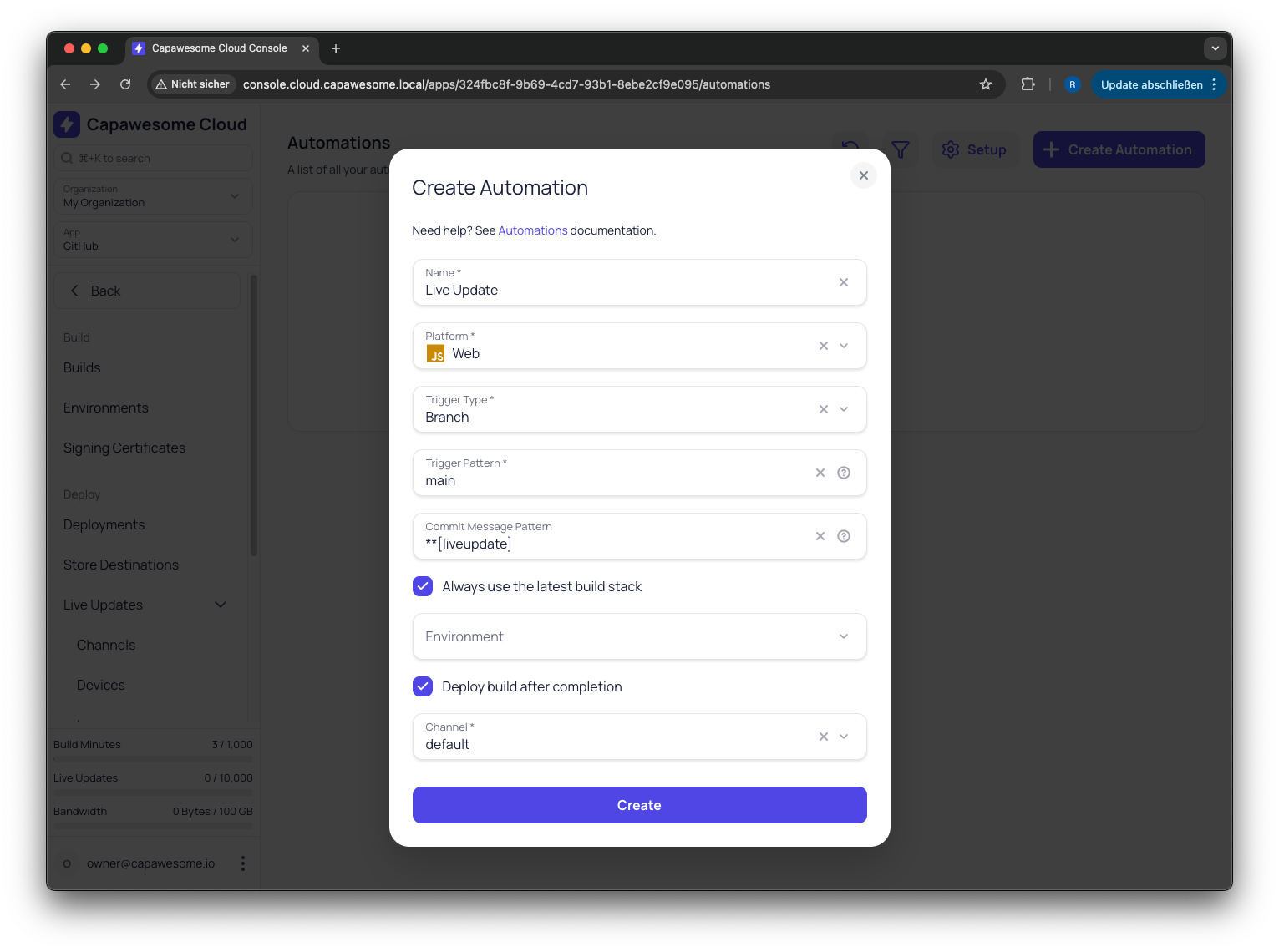
Configure automations to trigger on branch pushes or tag creation. Use branch triggers for continuous integration workflows (e.g., build on every push to main) and tag triggers for release workflows (e.g., build when a version tag like v1.0.0 is created).
Pattern Matching
Target specific branches or tags using name patterns. For example, trigger builds only for tags starting with v or only for pushes to release/* branches. This gives you fine-grained control over which Git events actually start a build.
Commit Message Filtering
Optionally filter triggers based on commit message content. This lets you skip builds for non-code changes or only build when a specific keyword is present in the commit message.
Full Build Configuration
Each automation can include the full set of build settings — build type, build stack, signing certificate, environment variables, store destination, and live update channel. This means you can set up a complete pipeline from Git push to app store submission or live update deployment, all without leaving Capawesome Cloud.
Automatic Webhook Setup
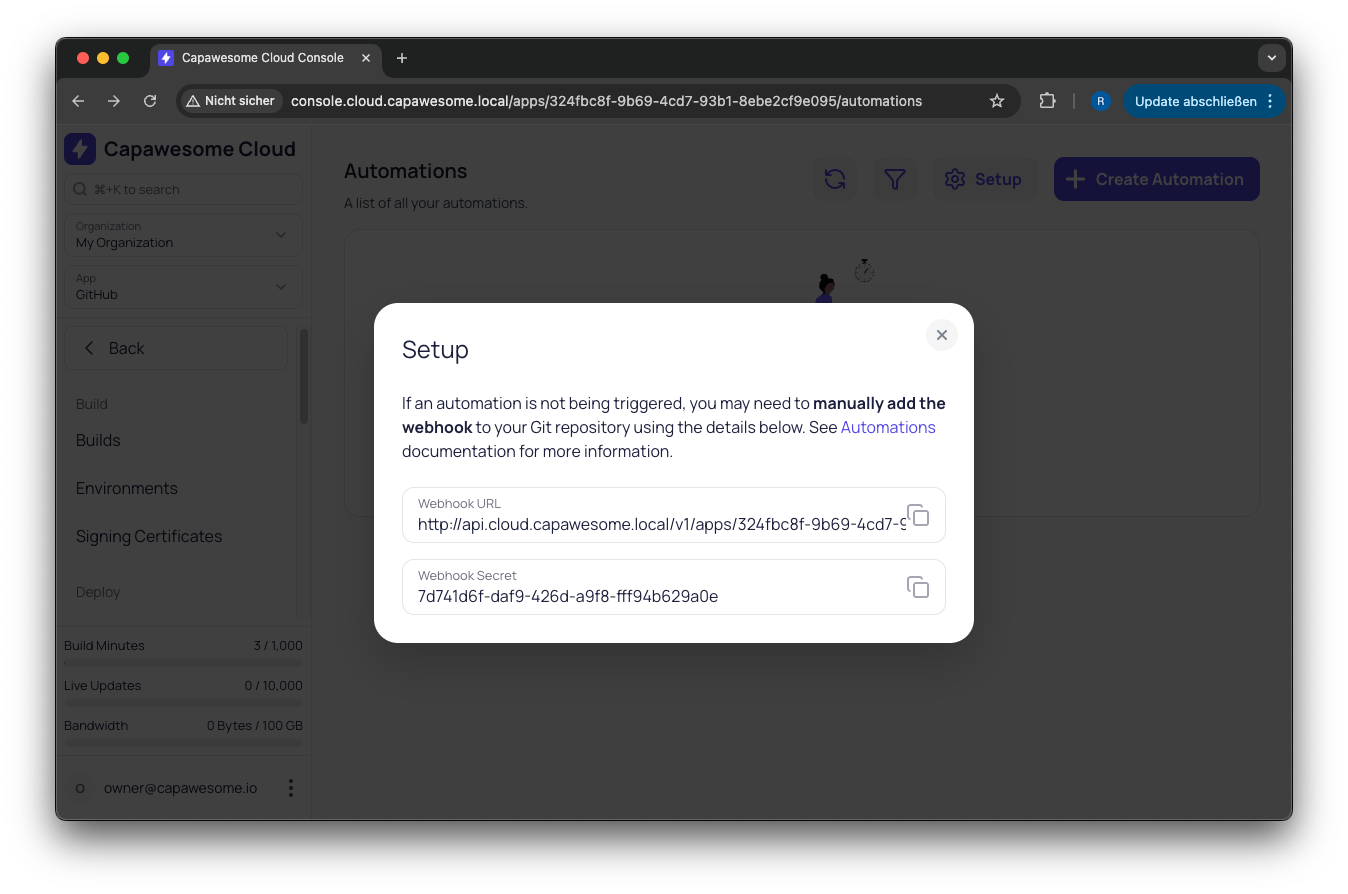
When you create an automation, Capawesome Cloud automatically registers a webhook on your connected Git repository. No manual configuration needed in most cases. If automatic registration isn't possible (e.g., for self-hosted providers), you can set up the webhook manually using the values provided in the Setup dialog.
Enable and Disable
Toggle automations on or off without deleting them. This is useful for temporarily pausing builds during maintenance or when you want to keep a configuration for later use without it triggering on every push.
Getting Started
Head over to the Automations documentation to learn how to set up your first automation. If you already have a Git repository connected and an app configured in Capawesome Cloud, you can be up and running in under a minute.
Final Thoughts
Automations bring true CI/CD to Capawesome Cloud without the need for external tools or duplicate infrastructure. Push your code, and Capawesome Cloud takes care of the build — including signing, publishing, and live update deployment if configured. It's the simplest way to keep your Capacitor app builds in sync with your Git workflow.
If you have questions or feedback, join our Discord community — we'd love to hear how you're using Automations. And if you want to stay up to date on new features and announcements, subscribe to our newsletter.
For more on cloud builds, check out our Web Builds announcement.